Workflow
How to Turn One Chapter of Your Book Into 6 Months of Video Content
Nonfiction authors have 70,000 words of high-quality content already written. Here's a practical framework for turning a single chapter into six months of videos, posts, and clips that keep your book discoverable long after launch.
Overview
TL;DR: A single chapter of a well-structured nonfiction book holds enough distinct ideas to fuel six months of video content. Here's the framework for breaking one chapter into a steady stream of videos, posts, and clips.
Most nonfiction authors think about video once — during launch — and then stop. They produce a trailer, maybe a few social posts, do a couple of podcast appearances, and then move on. Six months later the book is quiet, the sales have plateaued, and the 70,000 words they spent two years writing are sitting in a published document doing very little.
The opportunity they missed: a single chapter of a well-structured nonfiction book contains enough distinct ideas, arguments, and insights to fuel six months of video content. Not by stretching the content thin, but by breaking a single piece of well-developed thinking into its natural components.
Here's the framework.
Why Chapters Are Ideal Video Source Material
A nonfiction chapter — especially in the business, self-help, science, or strategy categories — typically contains:
1. A central argument or thesis (the chapter's main claim)
2. 3–5 supporting ideas (each with its own evidence and logic)
3. At least 1 story, case study, or example (illustrating the argument)
4. Data points or research references (credibility support)
5. A transition idea (how this chapter connects to the next)
Each of these elements is a video in its own right. The central argument becomes a thesis video. Each supporting idea becomes a standalone explainer. The story becomes a case study video. The research becomes a "what the data shows" video. The transition idea becomes a teaser for your next topic.
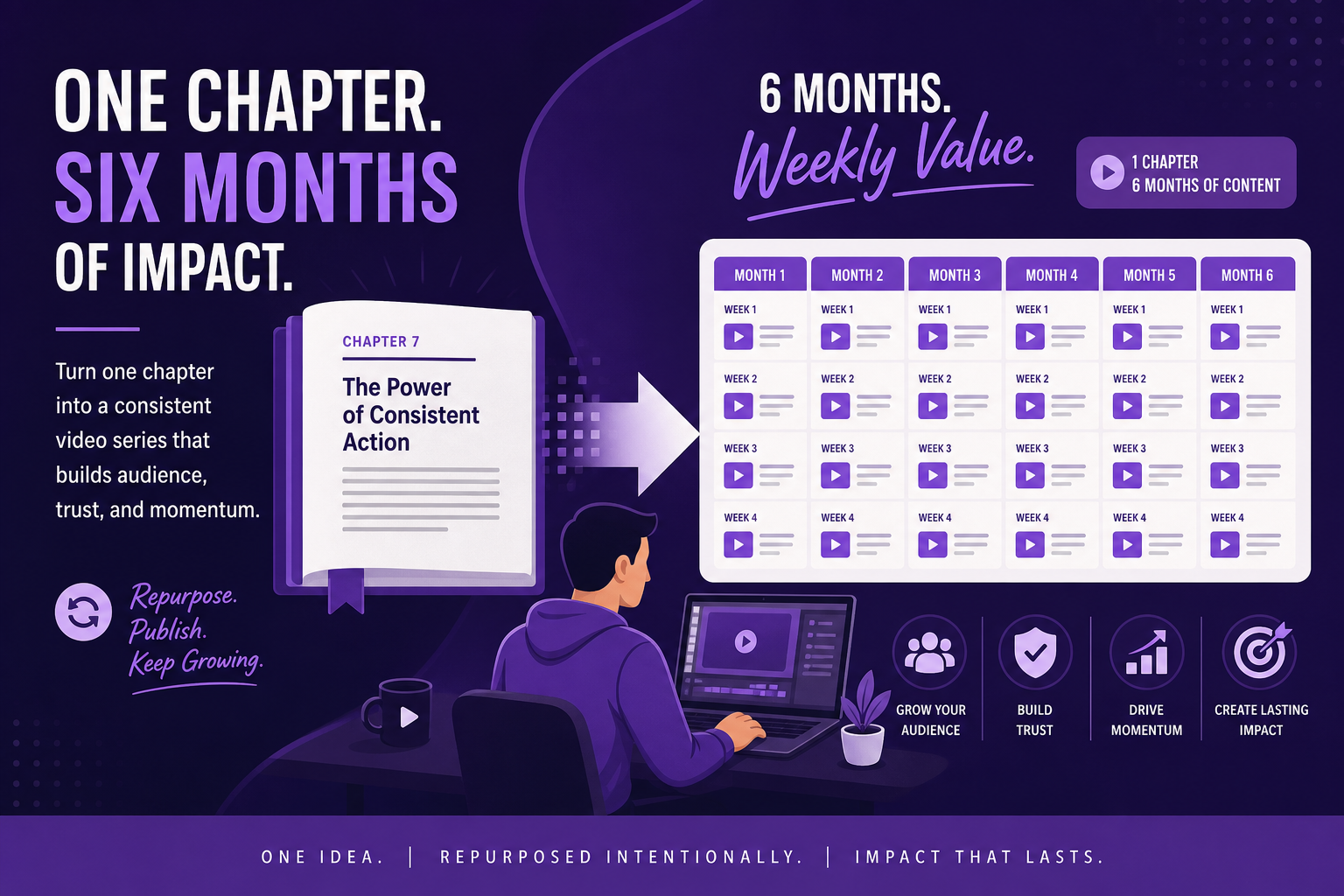
One chapter. Six video formats. Six months of posting.
The Framework: 6 Video Types From 1 Chapter
Video 1: The Big Idea (2–3 min): State the chapter's central argument as a standalone video. This is your thesis — the core claim the chapter makes. It should be slightly provocative, specific enough to be interesting, and conclusive enough to feel worth sharing.
Example: If the chapter argues that most productivity advice makes people less productive, that's your Video 1: "Why Most Productivity Advice Is Counterproductive (And What the Research Actually Shows)"
Video 2: The Evidence Video (3–4 min): Take the supporting data, research, or studies from the chapter and build a video that presents the evidence. This is the "here's what we actually know" video — fact-forward, research-backed, and shareable by people who love data.
Example: "3 Studies That Changed How I Think About Deep Work"
Video 3: The Concept Explainer (2–3 min): Pick the most misunderstood or counterintuitive concept from the chapter and explain it from scratch. Assume the viewer has no prior knowledge. This is your best discovery video — people search for concepts, not book titles.
Example: "What 'Cognitive Load' Actually Means (And Why It Matters for Your Work)"
Video 4: The Story Video (3–5 min): Isolate the story or case study from the chapter and tell it as a standalone narrative. Stories are the most shareable video format. A well-told story with a clear moral doesn't need the chapter's framework to be effective — it works alone.
Example: "How a Small Finnish Company Doubled Productivity by Working 4-Hour Days (Real Case Study)"
Video 5: The Practical Application (2–3 min): Take the chapter's framework and give a step-by-step "here's how to use this" video. This is the most action-oriented piece — it shows viewers how the idea applies to their life or work. Practical application videos get saved and bookmarked, which is a strong engagement signal on both YouTube and LinkedIn.
Example: "How to Implement the 4-Step Framework from [Book Title] in 30 Days"
Video 6: The "What This Means for You" (1–2 min): A short, conversational video that connects the chapter's ideas to the viewer's specific situation. This is the lowest production-complexity video because it's essentially your author voice applied to a specific audience question. Best as a YouTube Short or LinkedIn clip.
Example: "If You're a Manager, Here's What Chapter 3 Means for Your Team"
Mapping the Calendar
1 — Videos: Video 1 + 2 · Content Focus: Big idea launch + evidence deep dive
2 — Videos: Video 3 + 4 · Content Focus: Concept explainer + story for sharing
3 — Videos: Video 5 · Content Focus: Practical application (highest conversion)
4 — Videos: Video 6 + repurposed clips · Content Focus: Short-form + clip from Video 1
5 — Videos: Engagement video · Content Focus: Q&A or "reader questions about [chapter topic]"
6 — Videos: Recap video · Content Focus: "What I've learned from the response to [chapter topic]"
By month 6, you have a complete library of content about a single chapter. This library is permanently discoverable on YouTube — someone searching your topic finds these videos 18 months from now.
Turning Chapter Content Into Video With Article Video Studio
The production process for each video:
1. Identify the video type and source — which section of the chapter feeds this video?
2. Extract or draft the text — paste the relevant excerpt (or a lightly edited version) into a text file
3. Go to Article Video Studio → articlevideostudio.com → New Project → paste the text
4. Select a template: - For thesis/evidence videos: Gridcraft or Chronicle - For story videos: Nightfall (cinematic, narrative-first) - For practical application: Geometric Explainer - For short-form / "what this means": Spotlight (bold, punchy)
5. Choose a narrator voice — pick one and keep it consistent across all videos from the book
6. Generate, review, export
One chapter's worth of videos takes one production day using this workflow. Then you have six months of content ready to drip.
Repurposing the Videos Across Platforms
Each of these 6 videos works differently across platforms:
YouTube: Full-length video. This is where the explainers and evidence videos perform best in search. Title each video around the specific concept or question it answers — not the book chapter.
LinkedIn: Cut a 60–90 second clip from the longer video (the strongest 90 seconds — usually the thesis statement or the most striking data point). Post as native video with your caption. Tag any experts or research institutions you referenced.
Instagram / Reels / TikTok: The Story video and "What This Means for You" video work best here — narrative, personal, concise. These platforms reward emotional resonance over information density.
Your author website or newsletter: Embed all 6 videos in a resource page for the chapter topic. When someone googles your book's main topic, they may land on your website page, watch 20 minutes of video, and buy the book without you ever knowing they were there.
Book club and reader community platforms: Share specific videos in Goodreads discussions, Reddit threads, and Facebook groups where your topic is discussed. Video answers questions in a way that a book link doesn't.
The Compounding Effect Over Time
A typical nonfiction book has 8–12 chapters. If you apply this framework to each chapter, you build:
1. 48–72 videos (6 per chapter)
2. 4–6 years of monthly video content
3. A YouTube library that covers every aspect of your book's topic in depth
This library works while you're writing your next book. It works while you're on vacation. It surfaces in search results long after your launch campaign has ended.
The authors who build long-term royalty income — the ones who are still selling their book in year 5 — almost always have a content infrastructure that keeps the book discoverable. Video, especially on YouTube, is the most durable version of that infrastructure.
Frequently Asked Questions
Do I have to write new content for each video?
No. Every video in this framework is built from content that's already in the chapter. The most work-intensive step is identifying which section goes in which video type, not creating new material.
Can I use excerpts directly from the book, or should I paraphrase?
Both work. Article Video Studio takes any text input — pasted excerpts, rewritten summaries, or even the chapter's main points as bullets. If you're pasting from the book directly, consider lightly adapting from print prose to spoken narration style (shorter sentences, fewer parentheticals). But the AI handles this reasonably well even with print-style text.
What if my book is more narrative/memoir than framework-based?
Memoir and narrative nonfiction work particularly well for the Story video format (Video 4). For chapters that are more sequential narrative than concept-driven, the relevant video types shift: story summary, key moment, theme exploration, and "why this matters" are your best video angles.
Should every video include a "buy the book" CTA?
Not necessarily in the video itself — that's promotional and viewers will feel it. Instead, include it in the YouTube description ("The full framework is in [Book Title] — link below") and in the LinkedIn caption. The video should stand alone as valuable content; the CTA is in the surrounding metadata.
What length of chapter works best for this framework?
Chapters between 2,000–8,000 words are ideal. Shorter chapters may only yield 3–4 distinct videos; very long chapters (10,000+ words) might yield 8–10. The framework scales — what matters is that each video type has enough source material to be substantive.