SEO basics
6 Best YouTube Title Score Checkers to Maximize Your CTR in 2026
The best free YouTube title score checkers compared — Article Video Studio, TubeBuddy, Titles.video, Post Bridge, CoSchedule, and PrePublish.ai. Find out which analyzer gives the most actionable CTR feedback.
Overview
TL;DR: The best free YouTube title score checkers compared — TubeBuddy, Titles.video, Post Bridge, CoSchedule, and PrePublish.ai — to find which gives the most actionable CTR feedback.
Your YouTube title is the single most controllable factor in your click-through rate. Thumbnails take design work. Watch time takes execution. But a better title can be written, scored, and tested in three minutes.
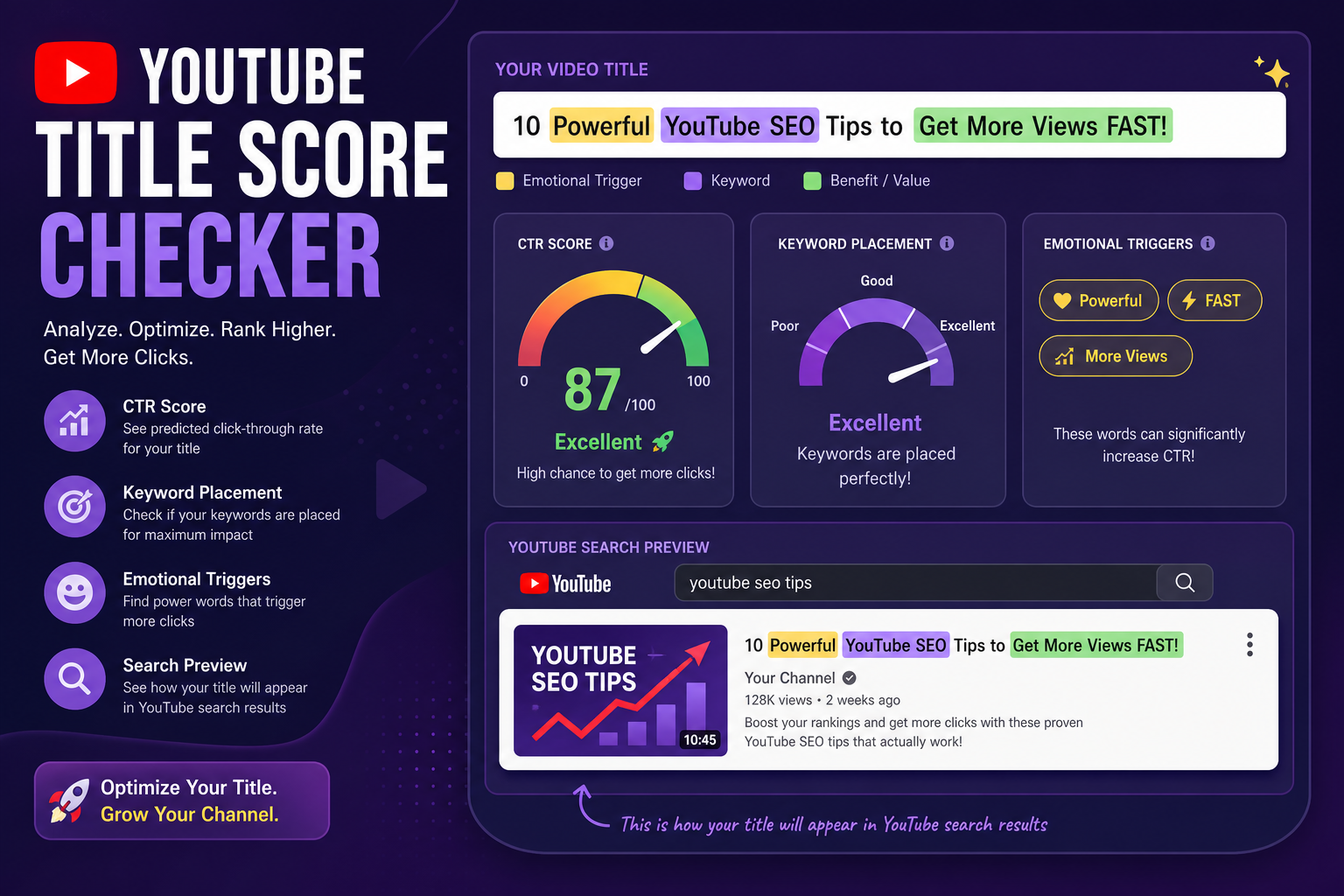
The challenge is knowing which titles actually perform before publishing. That's where YouTube title score checkers come in — they analyze your title against proven patterns for CTR, keyword strength, emotional resonance, and length optimization, then tell you what to fix.
Here are the five best tools for scoring YouTube titles in 2026.
What Makes a YouTube Title Score High?
Different tools weight different factors, but the core elements consistently matter:
1. Length — 60–70 characters is the sweet spot; longer titles get cut off in search
2. Curiosity gap — does the title make viewers want to know the answer?
3. Emotional triggers — words that create urgency, excitement, or fear of missing out
4. Keyword strength — is there a searchable term in the title?
5. Clickbait detection — tools flag titles that look spammy or misleading (YouTube penalizes these)
6. Clarity — does the viewer know what they're going to get?
A great YouTube title scores well across all six. Most titles that underperform fail on 2–3 of them.
1. Article Video Studio YouTube Title Checker — Best Free Score With No Signup
Full disclosure: this is our tool. It leads the list because it is the only checker here that gives you the complete scoring breakdown without an account, a trial, or a browser extension — and because the YouTube mode is built around the two things that actually decide CTR on a results page.
Switch the analyzer to YouTube mode and it re-weights scoring for video: whether your keyword is front-loaded, whether the title survives YouTube's roughly 60-character truncation in search and suggested results, and whether there is a real curiosity gap rather than a description of the contents. It flags the exact words that would be cut off, which is usually the fastest fix available.
It also scores blog and newsletter titles from the same interface, so a post you publish in both formats can be checked once for each context instead of running two tools.
Free tier: Fully free, no account required Best for: Creators who want to see which factor cost them points, not just a number
2. Titles.video — Best Overall YouTube Title Analyzer
Best for: Creators who want scoring + AI-generated alternatives in one place
Titles.video scores each title on a 0–100 scale across keyword relevance, emotional triggers, length, and curiosity gap. But the most useful feature is what it does after scoring: it generates five alternative titles based on your video content, each with its own score and a full SEO breakdown.
You're not just being told your title has a 62/100 — you're being handed five better options to choose from. For creators who want to publish and move on, that's the most useful output of any tool on this list.
Score range: 0–100 Free tier: Yes Best for: Creators who want alternatives, not just feedback
3. TubeBuddy Title Analyzer — Best Full YouTube Optimization Suite
Best for: Serious YouTube creators who want channel-wide optimization
TubeBuddy is the most comprehensive YouTube optimization suite available. Its Title Generator suggests variations based on your topic and target keywords, and the Title Scorer evaluates across searchability, clickability, and character count.
The real value is integration — TubeBuddy lives inside YouTube Studio as a browser extension, so you're scoring and optimizing titles without leaving the upload workflow.
Free tier: Limited; most scoring features require a paid plan Best for: Creators who want title optimization as part of a full YouTube growth suite
4. Post Bridge YouTube Title Checker — Best for Thumbnail Preview + Score
Best for: Creators who want to see exactly how their title looks in the feed
Post Bridge scores titles based on length, mobile optimization, and best practices (80+ is excellent, 60–79 is good, below 60 needs improvement). The distinctive feature is thumbnail preview — you can upload your actual thumbnail and see a realistic preview of how your video will appear on YouTube desktop and mobile feeds before publishing.
Titles that look fine in isolation sometimes get cut off or lose context when paired with a specific thumbnail. Post Bridge catches that.
Free tier: Yes Best for: Creators who want to validate both title and thumbnail together
5. CoSchedule YouTube Title Analyzer — Best Free Option for Multi-Platform Creators
Best for: Creators who publish across YouTube, LinkedIn, podcasts, and blogs
CoSchedule's analyzer supports YouTube titles alongside blog headlines, email subjects, and podcast titles. You can score and test titles across every channel in one tool.
For YouTube specifically, it scores on word balance, sentiment, curiosity, and length. The free tier is unlimited, and the comparison feature lets you test variations side by side.
Free tier: Yes, unlimited Best for: Multi-platform creators who want one scoring tool for everything
6. PrePublish.ai YouTube Title Analyzer — Best for Hook-Aware Scoring
Best for: Creators who care about the relationship between title and video hook
PrePublish.ai goes beyond the title itself — if your captions are available, it also scores the first 30 seconds of your video (the hook) and evaluates whether the title and hook are aligned. A great title that sets up a weak hook is still a CTR problem, just delayed.
For creators who've already seen their retention drop in the first 30 seconds, this added layer of analysis is worth it.
Free tier: Yes Best for: Creators focused on reducing early drop-off by aligning title and hook
YouTube Title Score Checker Comparison
- Article Video Studio — Free: ✓✓ · Alternatives: ✓ · Thumbnail Preview: — · Multi-Platform: ✓✓ · Hook Analysis: ✓
- Titles.video — Free: ✓ · Alternatives: ✓✓ · Thumbnail Preview: — · Multi-Platform: — · Hook Analysis: —
- TubeBuddy — Free: Limited · Alternatives: ✓ · Thumbnail Preview: — · Multi-Platform: — · Hook Analysis: —
- Post Bridge — Free: ✓ · Alternatives: — · Thumbnail Preview: ✓✓ · Multi-Platform: — · Hook Analysis: —
- CoSchedule — Free: ✓ · Alternatives: ✓ · Thumbnail Preview: — · Multi-Platform: ✓✓ · Hook Analysis: —
- PrePublish.ai — Free: ✓ · Alternatives: — · Thumbnail Preview: — · Multi-Platform: — · Hook Analysis: ✓✓
Turn Your Best Blog Content Into YouTube Videos
If you're writing blog posts on topics your audience searches on YouTube, you already have video scripts — you just haven't formatted them that way yet.
Article Video Studio turns blog posts, articles, and PDFs into finished YouTube-ready videos automatically. You paste the URL, pick a template, and get a narrated video with professional visuals, pacing, and a strong opening scene that functions as the visual hook your scored title needs to deliver on.
It's the fastest way to publish the same researched content to both your blog and YouTube without filming anything.
Frequently Asked Questions
What is a good YouTube title score?
On most analyzers, 70+ is considered a strong score. Post Bridge uses 80+ as excellent. The specific number matters less than making sure you score well on curiosity gap and keyword strength.
How long should a YouTube title be?
60–70 characters. Longer titles get truncated in YouTube search results on desktop. On mobile, even shorter is better.
Do YouTube title analyzers actually improve views?
They improve CTR, which is the metric that directly impacts how many people click. Better CTR signals to YouTube's algorithm that the video is relevant, which increases distribution over time.
What's the most important word to include in a YouTube title?
The primary keyword your target audience searches for. Put it as close to the beginning of the title as possible.
Can I test multiple title variations?
Yes — CoSchedule and Titles.video both let you test variations side by side. TubeBuddy's A/B testing feature lets you test live on published videos.