Use case
How Agencies Can Add Video to Every Retainer Without Hiring a Video Team
Marketing agencies are leaving money on the table by not offering video as a retainer deliverable. Here's how to add it same-day using content clients already have.
Overview
TL;DR: A single account manager can turn a client blog post into a professional broadcast video in ~15 minutes — no camera, no editor. This post covers how agencies add video to every retainer and, the harder part, how to price it.
Every marketing agency is already producing the raw material for video. Strategy documents, blog posts, case studies, landing page copy, client reports — it's all there. None of it becomes video because the assumption is that video requires a production team, filming days, editors, and a budget that blows up the margin.
That assumption is now obsolete.
AI video tools in 2026 mean a single account manager can turn a client's blog post into a professional broadcast video in 15 minutes, with no camera, no script rewrite, and no editing software. The question for agency owners isn't whether to offer video — it's how to price it.
The Margin Problem With Video (And How to Fix It)
Traditional agency video production costs break down like this:
60-sec explainer video — Freelancer Cost: $800–$2,000 · Timeline: 5–10 business days
2-min product overview — Freelancer Cost: $1,500–$4,000 · Timeline: 10–15 business days
Social video repurposing (1 post → 3 clips) — Freelancer Cost: $400–$800 · Timeline: 3–5 business days
These costs make video unprofitable for most retainers under $5,000/month. You either eat the margin or pass costs to the client and risk losing the work.
With an AI video workflow, the cost structure inverts:
Blog post → branded video — AI Tool Cost: ~$4–$8 per render · Timeline: Same day
Monthly content → 4 videos — AI Tool Cost: ~$16–$32 · Timeline: Same week
White paper → explainer + slides + carousel — AI Tool Cost: ~$4–$8 · Timeline: Same day
The labor cost is now account management time (15–30 min per video) rather than production time. You bill the client $150–$400 per video as a line item and the margin is real.
What to Actually Deliver
An AI video workflow doesn't mean low-quality output. Tools like Article Video Studio produce broadcast-style and editorial-grade videos from text input, with templates including:
1. Newscast — broadcast lower thirds, chyrons, TV-style data graphics
2. Gridcraft — editorial bento-grid layout, clean and modern
3. Nightfall — cinematic glass panels, premium aesthetic for tech and finance clients
4. Spotlight — bold kinetic text for social-first content
5. Geometric Explainer — clean whiteboard-style for technical or educational content
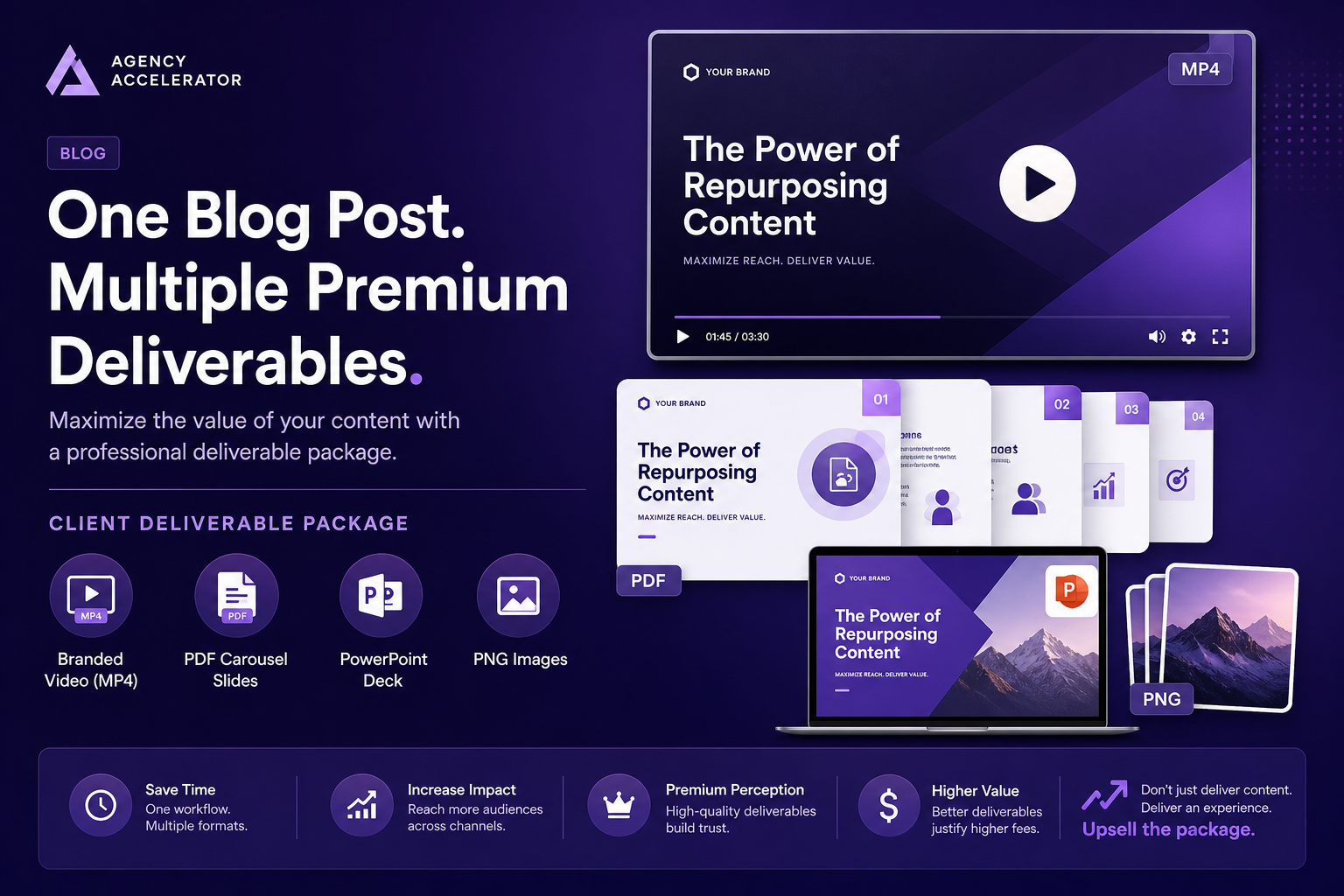
A client's blog post becomes a finished video in any of these styles, exported as:
1. MP4 for YouTube, LinkedIn, website embedding
2. PDF for LinkedIn carousels
3. PowerPoint for client-facing review or presentations
4. PNG slides for social posts and ads
That's four deliverables from one piece of content. You're no longer converting blog posts to video — you're converting one content source into a full distribution package.
Three Ways to Package This for Clients
Option 1: Add Video as a Retainer Upgrade
Pitch it as a monthly add-on to existing content retainers:
"We're now offering a Video Distribution package. Every blog post, case study, or long-form piece we write gets converted into a branded video, a LinkedIn carousel, and a social media clip set. Add-on: $X/month for up to [N] assets."
The client already trusts you with their content. The video is the natural next step. They don't need to understand the production process — they just see that the blog post they approved on Monday is a YouTube video by Friday.
Option 2: Sell Video Repurposing as a Standalone Project
Offer a content audit + video conversion sprint:
"You have 50 blog posts sitting in your archive. We'll select the 12 highest-traffic pieces and convert each into a branded video, LinkedIn carousel, and social clips. Deliverable: 12 video packages in 3 weeks."
This is a high-value project because it creates new ROI from assets the client already paid to create. It's an easy sell because the client has zero production effort — they just approve the output.
Option 3: Include Video in Campaign Deliverables
For launch campaigns, replace the "blog post" line item with "blog post + campaign video":
"Campaign deliverables: 1 pillar post (1,500 words) + branded video (90 sec MP4) + LinkedIn carousel (8 slides) + social clip set (3 × 30-sec). Total: same price as before — video is included."
This makes you significantly more competitive against agencies that still deliver text only. The client gets more perceived value. Your actual production cost increase is negligible.
The Workflow: From Client Blog to Finished Video
Here's the actual step-by-step for your team:
1. Client publishes or approves a blog post — use the live URL or paste the content directly
2. Open Article Video Studio → New Project → Paste URL or document
3. Select the right template based on client brand: - Formal/finance: Nightfall or Gridcraft - Consumer/lifestyle: Spotlight - Technical/B2B: Geometric Explainer or Chronicle - News/media: Newscast
4. Set voice — pick from the library; save client voice preference in a shared doc so you're consistent
5. Generate → review the scenes (2–3 min)
6. Light edits if needed — adjust text, swap an image, trim a scene
7. Export: MP4 for video, PDF for carousel, PNG for social assets
8. Deliver to client or publish directly from the account
Total time: 15–30 minutes per video, depending on how much scene-level adjustment you do.
For agencies running 5+ clients, one person can own this workflow entirely. You don't need a video department.
Anticipating the Client Questions
"Will it look like AI-generated garbage?": The templates matter. Newscast and Nightfall look like broadcast and premium editorial, respectively. Show the client a sample render from their own content before pitching — this question goes away immediately.
"Can we control the branding?": Yes. You select the template, the voice, and can adjust individual scenes. For whitelabel-sensitive clients, the output carries the template's visual identity rather than a Article Video Studio watermark.
"What if the AI gets the content wrong?": The editor lets you review and adjust every scene before export. Account for a 5-minute review pass in your workflow. For clients with technical or regulated content (legal, finance, healthcare), build in a content-check step before sending.
"How is this different from just embedding the blog post?": Video reaches platforms the blog can't. YouTube, LinkedIn video, Instagram, Reels. A 3-minute explainer video from a case study can rank on YouTube for terms the blog post will never reach. It also dramatically increases time-on-page when embedded in the post itself.
Pricing Guidance
Agency markup depends on your model. As a rough framework:
Single blog → video — Your Cost: $4–$8 · Client Price: $150–$300 · Margin: 35–70x
Monthly package (4 videos) — Your Cost: $16–$32 · Client Price: $500–$900 · Margin: 25–55x
Campaign bundle (blog + video + carousel) — Your Cost: $8–$12 · Client Price: $400–$700 · Margin: 35–85x
Content archive sprint (12 pieces) — Your Cost: $48–$96 · Client Price: $2,000–$4,000 · Margin: 20–80x
These are conservative ranges. The real variable is how much of your account management time is in the workflow. At 15 minutes per video and a $75/hr blended rate, your labor cost is $19/video. At 30 minutes, it's $38. Build that into your pricing, not the tool cost.
Frequently Asked Questions
Does Article Video Studio require a subscription, or can I pay per video for client work?
Article Video Studio operates on a pay-per-video model ($4 per render), which is well-suited for agency workflows where output volume varies by client. Bulk discounts apply at 10+ and 30+ renders — relevant for multi-client shops running video at volume.
Can we use this under a white-label arrangement?
The video output itself doesn't carry Article Video Studio branding. The visual identity comes from the selected template. For brand-sensitive clients, choose templates and color styles that align with their standards.
What content types work best?
Blog posts, case studies, white papers, thought leadership pieces, and pillar content. Essentially anything text-first that has a logical structure — intro, body, conclusion. Short-form social content (tweets, captions) doesn't have enough substance to generate a good video scene structure.
How does video affect a client's SEO?
Video embedded on a page increases time-on-page, which is a positive SEO signal. Publishing the same video to YouTube with a keyword-optimized title and description also opens a second discovery channel for content Google may not rank highly in text search.
What happens when the AI misrepresents a client's content?
Review every scene before export. The editor shows you each scene's text and visual. For regulated industries, build a mandatory client-review step before the video goes live.